Review · AI & data
 Lindy review
An AI assistant for teams that handles inbox, meetings, scheduling and recurring work, priced by pooled monthly credits.
By the FruitPunch research desk · Updated November 20, 2026
The short answer
Lindy is an AI assistant for small teams that manages inboxes, records and follows up on meetings, books calls and runs recurring tasks through Slack, email, iMessage and 3,000+ connected tools. It is the most ready-made option among the agent platforms on this site, with $50 in free credits for 7 days and paid seats from $29.99 per active user per month for 3,000 credits. Prices and features were checked on Lindy's pricing page and documentation in November 2026.
- Quality (40%)
- 8.6
- Ease of use (25%)
- 9.0
- Value (35%)
- 7.4
What it looks like
Our verdict
Lindy suits founders, agency owners and small teams who want an assistant that starts clearing email, prepping meetings and chasing follow-ups on the first day, without building workflows from a blank canvas. It is a weaker fit for large teams with many occasional users, because every active user in the workspace is billed for a seat, and for builders who want full control over multi-step automations, where Zapier Agents, Make or n8n give more room. The deciding fact is the billing model: from $29.99 a month per active user for 3,000 credits at $0.01 per credit, with everyday asks costing 2 to 250 credits and big builds 1,000 to 2,500, so one heavy task can use a third or more of a seat's monthly allowance.
Overview
Lindy is an AI assistant sold as an "AI employee". Its documentation describes two roles: a personal executive assistant that handles each person's inbox, calendar, meeting prep, recordings and follow-ups, and a shared teammate that anyone can @mention in a Slack channel to research a question, build a report or update the CRM. It also works proactively through routines such as a morning brief, email alerts and scheduled recurring tasks, and it can be reached by iMessage, SMS, email, phone and a Chrome extension inside Gmail.
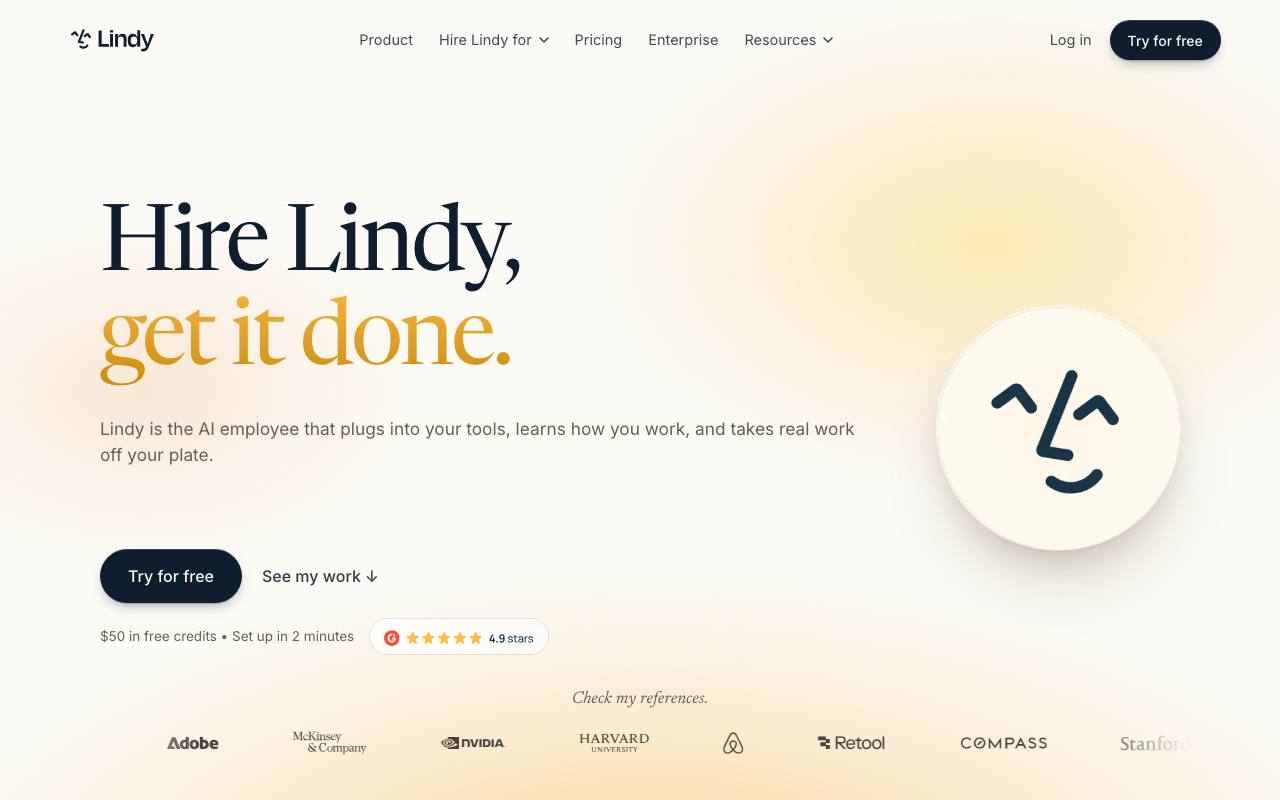
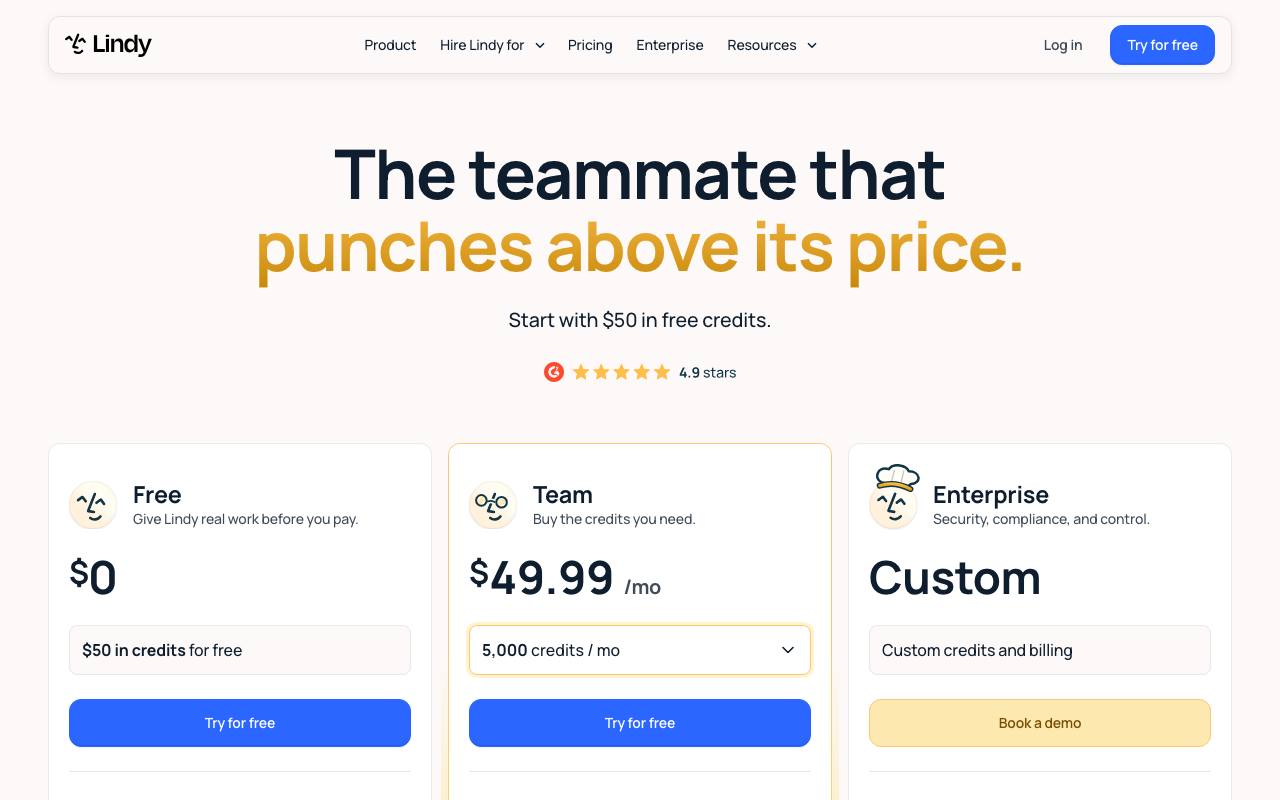
The plan line-up changed in late 2026. Lindy's pricing page now shows a Free start with $50 in credits that last 7 days, a Team plan where the buyer picks a monthly credit amount from 3,000 credits for $29.99 up to 1,750,000 credits for $9,999.50, and a custom-priced Enterprise plan. The homepage still showed an older entry point of $49.99 a month for 5,000 credits when checked, and the help center names the paid tiers Plus, Pro and Max and points to in-app billing for exact prices, so buyers should confirm the price shown at checkout.
Credits are the unit of work. The help center states that credits cost $0.01 each on base plans, that every seat adds its allocation to one workspace pool, and that admins can cap what each person draws. The pricing page groups tasks into everyday asks (2 to 250 credits), deep work (250 to 1,000) and big builds (1,000 to 2,500). Phone calls start at 25 credits per minute, and a dedicated Lindy phone number carries a separate monthly fee. Monthly credits do not roll over, while purchased top-ups at $10 per 1,000 credits do not expire.
Against the other agent platforms on this site, Lindy is the least do-it-yourself. Zapier Agents and Make are built around triggers and connected app actions and are priced by activity or operations rather than per seat, with free plans that Lindy does not have. n8n and Gumloop give builders more control over workflow logic. Lindy instead ships with 40+ built-in skills, inbox drafting in the user's voice and meeting recording on Google Meet, Zoom and Microsoft Teams, which is why it scores high on ease of use but lower on value in this site's ranking.
There are real limits. Lindy's own pages disagree on the integration count: the marketing site says 3,000+ integrations, while the integrations guide says 1,500+ plus any MCP server. Computer use and live onboarding depend on the plan, and the number of connected inboxes ranges from 2 to 5 by plan. Guardrails that require approval before Lindy writes to a tool apply only in shared Slack threads, not in the web app, Slack DMs or iMessage and SMS, according to the integrations guide.
How it scored
Lindy is the most finished product on this list for small businesses: instead of an empty canvas you get an assistant that already manages inboxes, drafts replies in your voice, records meetings, books calls and sends daily briefs. It ships with 40+ skills, connects to 3,000+ tools and supports MCP, and you can choose the model for each task. You can start free with $50 in credits that last 7 days. The Team plan starts at $49.99 a month for 5,000 credits, and every active user in the workspace is billed, with all credits pooled. Top-ups cost $10 per 1,000 credits. Lindy's page describes everyday asks as 2 to 250 credits and big builds as 1,000 to 2,500, so heavy users can burn through a seat's allowance quickly. When the pool runs low, Lindy pauses rather than adding charges. The per-user billing is why Lindy scores lower on value than Zapier Agents.
Who it is for
small businesses that want a ready-made AI assistant
Good fit if
- Founders and consultants who want inbox triage, drafted replies, meeting prep and follow-ups handled from one assistant
- Agency owners who need client reports, lead replies and invoice chasing run on a schedule across several tools
- Small teams on Slack that want one shared AI teammate drawing on shared meetings, files and connected apps
- Busy managers who prefer to delegate by text message or phone call rather than through a dashboard
- Healthcare and regulated businesses that need HIPAA with a signed BAA, SSO and audit logs on the Enterprise plan
Skip it if
- Teams with many occasional users, since every active user is billed for a seat: Zapier Agents is priced by activity, not per seat
- Builders who want to design detailed multi-step automations with full control: n8n or Make give more control over workflow logic
- Anyone looking for a permanent free plan: Lindy's free credits end after 7 days, while Zapier Agents, Make and MindStudio list free plans
- People who only want AI help inside Gmail and nothing else: a general chat assistant such as ChatGPT may cover drafting at a lower cost
Specifications
From Lindy's own pages, each linked
- Product type
- AI assistant and shared team agent working in Slack, email, iMessage, SMS, phone and Gmail
- source
- Typical task cost
- Everyday asks 2 to 250 credits, deep work 250 to 1,000, big builds 1,000 to 2,500
- source
- Compliance
- SOC 2 Type II (audited by Johanson Group), GDPR, PIPEDA, HIPAA with signed BAA on Enterprise
- source
Price
Free trial with $50 in credits; Team from $49.99 per active user per month for 5,000 credits.
Every active user in your workspace is billed, from $49.99 a month for 5,000 credits each.
Quoted from the vendor pricing page on November 20, 2026.
Plans and prices
Quoted from the seller, with the date we checked
| Plan | Price | What is included | Checked |
|---|---|---|---|
| Free | $0One-time trial credits, no card required per the docs | $50 in credits; Credits last 7 days; Setup in about 2 minutes | Checked Nov 20, 2026 |
| Team, 3,000 credits | $29.99 per active user per monthMonthly | 3,000 credits every month; Credits pooled across the whole team; Top-ups at $10 per 1,000 credits; Model choice for each task; Text Lindy over iMessage; Computer use; Live onboarding | Checked Nov 20, 2026 |
| Team, 5,000 credits | $49.99 per monthMonthly | 5,000 credits every month; Same features as other Team credit levels | Checked Nov 20, 2026 |
| Team, 15,000 credits | $99.99 per monthMonthly | 15,000 credits every month; Other listed steps: 4,000 for $39.99, 6,000 for $59.99, 8,000 for $79.99, 20,000 for $149.99, 35,000 for $199.99, 45,000 for $299.99 | Checked Nov 20, 2026 |
| Team, small teams levels | $399.98 to $999.95 per monthMonthly | 70,000 credits for $399.98; 105,000 credits for $599.97; 175,000 credits for $999.95 | Checked Nov 20, 2026 |
| Team, growing teams levels | $1,999.90 to $9,999.50 per monthMonthly | 350,000 credits for $1,999.90; 700,000 credits for $3,999.80; 1,750,000 credits for $9,999.50 | Checked Nov 20, 2026 |
| Enterprise | Custom, price not listedCustom credits and billing | HIPAA compliance and signed BAA; SSO and SCIM; Audit logs; Shared usage and bonus credits; Dedicated support; Onboarding and enablement | Checked Nov 20, 2026 |
Key features
Inbox management
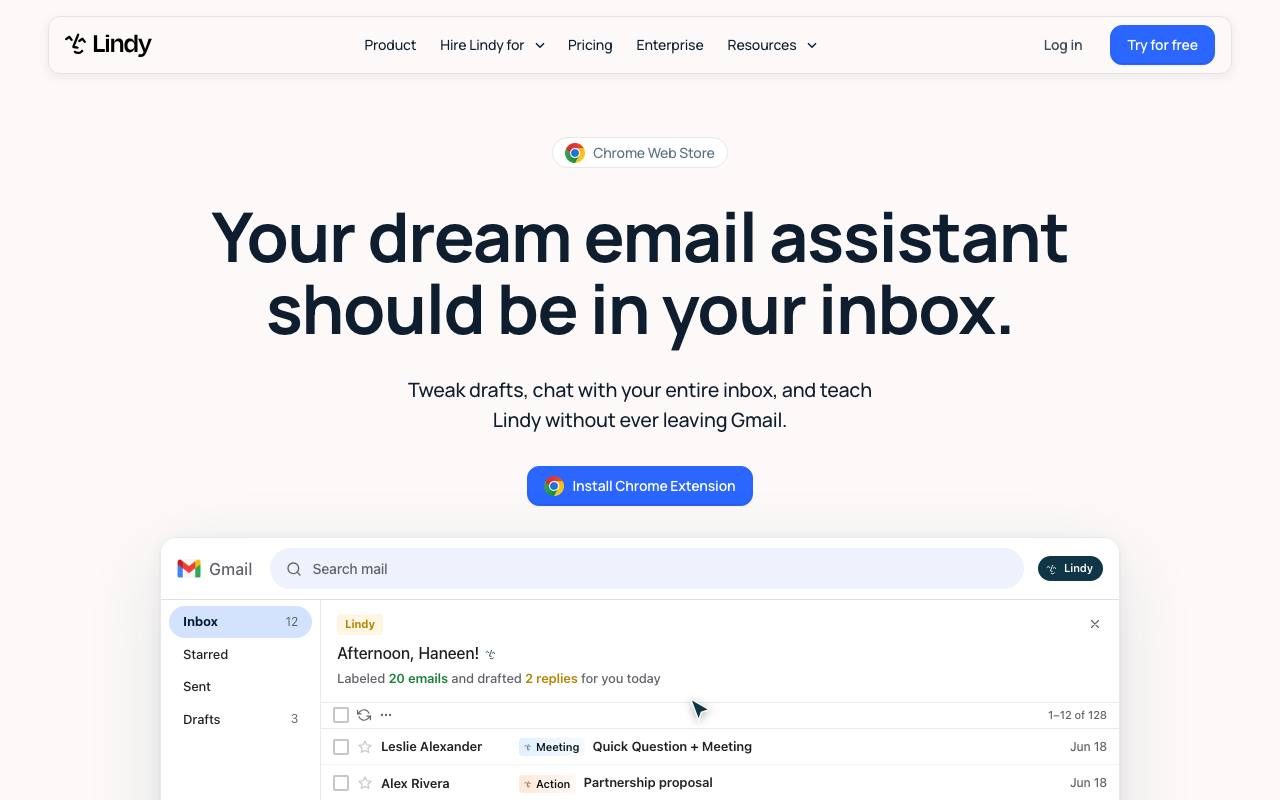
Lindy labels incoming mail, drafts replies in the user's voice into the drafts folder, texts alerts for time-sensitive messages and drafts follow-up bumps when a sent email gets no reply. The Chrome extension adds a daily brief, smart labels and a sidebar chat inside Gmail.
Meetings
Lindy joins calls on Google Meet, Zoom and Microsoft Teams, records them, and captures notes and action items into a searchable library. Folders can be personal or shared with the workspace, and users can ask questions across all meetings in a folder.
Shared Slack teammate
Anyone in a workspace can @mention Lindy in a Slack channel to research a question, build a report or update a CRM. Guardrails per integration can be set to always allow, require approval or never write, with Approve and Deny buttons posted in the thread.
Routines and skills
Routines run recurring work on a schedule or trigger, such as a 7am briefing. Skills are saved playbooks Lindy reuses when a request calls for them; the pricing page lists 40+ built-in skills plus custom ones.
Phone, iMessage and SMS
Users can text Lindy over iMessage or SMS without installing an app, and on paid plans get a US or Canadian Lindy number to call, have Lindy call them, or have it call others for them. Calls start at 25 credits per minute.
Integrations and MCP
Lindy connects to built-in integrations through OAuth or API keys and to any hosted MCP server over public HTTPS. When no integration exists, the docs say it can drive a browser or write its own integration against the tool's API.
Shared credit pool and spend caps
Every seat adds its credits to one workspace pool. Admins can cap each person's usage, and when the pool runs low Lindy pauses credit-using actions instead of billing overages.
Strengths and weaknesses
What we like
- Ready on day one: 40+ built-in skills cover inbox, meetings, scheduling and daily briefs without workflow building
- Low entry price for a trial: $50 in free credits for 7 days, and the docs say no credit card is required
- Flexible credit levels from 3,000 credits for $29.99 up to 1,750,000 credits for $9,999.50 a month
- No surprise bills: when credits run out Lindy pauses, and overages stay off unless turned on
- Top-up credits at $10 per 1,000 never expire, unlike monthly credits
- Meeting recording on Google Meet, Zoom and Microsoft Teams with a shared, searchable library
- Model choice per task across Gemini, GPT, Claude and DeepSeek models listed on the Chrome extension page
- SOC 2 Type II audited by Johanson Group, with HIPAA and a signed BAA available on Enterprise
What could be better
- Every active user is billed for a seat, from $29.99 a month each, which adds up for teams with many light users
- No permanent free plan: free credits expire after 7 days
- Monthly credits do not roll over, and a single big build can use 1,000 to 2,500 credits
- Lindy's own pages disagree on price and scope: the homepage showed $49.99 for 5,000 credits as the entry point and the docs list 1,500+ integrations against 3,000+ on the marketing site
- Approval guardrails apply only in shared Slack threads, not in the web app, Slack DMs or text messages
- Phone numbers are US and Canadian only and carry a separate monthly fee on top of per-minute credits
Key facts
- Free option: $50 in credits, valid 7 days
- Cheapest paid plan: Team, $49.99 per active user per month for 5,000 credits
- Top-ups: $10 per 1,000 credits
- Integrations: 3,000+, plus MCP
- Enterprise: HIPAA with signed BAA, SSO and SCIM
Where it ranks
Lindy is No. 4 in our Best AI Agent Platforms verdict.
Alternatives to consider
Free plan with 400 activities a month and Agents Pro at $33.33 a month billed annually, priced by activity rather than per seat, which suits larger teams with occasional users.
Automation platform with a free plan of 1,000 credits a month, better for teams that want to design their own automation logic.
Workflow automation for technical teams that want detailed control over each step of an automation.
Pro at $37 a month with 20,000 credits and a 14-day trial, for building AI workflows rather than using a ready-made assistant.
Free plan with one agent and an Individual plan from $16 a month billed yearly plus AI usage, for building custom agents cheaply.
Questions readers ask
- Does Lindy have a free plan?
- No, Lindy has a free start rather than a permanent free plan: new users get $50 in credits that last 7 days. After that, paid usage starts at $29.99 per user per month for 3,000 credits, according to Lindy's pricing page in November 2026.
- How much does Lindy cost?
- Lindy's pricing page lists Team plans from $29.99 a month for 3,000 credits per active user, with steps up to $9,999.50 for 1,750,000 credits. Extra credits cost $10 per 1,000, and Enterprise is custom priced.
- Is Lindy worth it?
- Lindy is worth it for small teams that want an assistant handling email, meetings and follow-ups from day one, because it ships with 40+ skills instead of a blank workflow builder. It is less good value for teams with many light users, since every active user pays for a seat.
- What is a Lindy credit?
- A credit is Lindy's unit of work and costs $0.01 on base plans, according to its help center. Everyday asks use 2 to 250 credits, deep work 250 to 1,000 and big builds 1,000 to 2,500.
- Do Lindy credits roll over?
- No, monthly plan credits reset at the start of each billing cycle and do not roll over. Purchased top-up credits are the exception and stay available until used.
- What happens when Lindy runs out of credits?
- Lindy pauses credit-using actions until the next billing cycle and does not charge extra. Admins can top up at $10 per 1,000 credits or move to a higher credit level to continue sooner.
- Lindy vs Zapier Agents: which is better?
- Lindy is the better pick for a ready-made assistant that drafts email and records meetings, while Zapier Agents is cheaper for larger teams because it is priced by activity, not per seat. Zapier Agents also has a free plan with 400 activities a month.
- Is Lindy secure and HIPAA compliant?
- Lindy states it is SOC 2 Type II audited by Johanson Group and GDPR and PIPEDA compliant, and that customer data is not used to train models. HIPAA with a signed BAA is available on the Enterprise plan only.
Sources we checked
- Lindy pricing, checked November 20, 2026
- Lindy homepage, checked November 20, 2026
- Lindy security, checked November 20, 2026
- Lindy Enterprise, checked November 20, 2026
- Lindy Chrome Extension, checked November 20, 2026
- What is Lindy? (docs), checked November 20, 2026
- Pricing (docs), checked November 20, 2026
- Billing (docs), checked November 20, 2026
- Understanding Your Usage (docs), checked November 20, 2026
- Integrations (docs), checked November 20, 2026
- MCP servers (docs), checked November 20, 2026
- Meetings (docs), checked November 20, 2026
- iMessage and SMS (docs), checked November 20, 2026
- Phone Calls (docs), checked November 20, 2026
- Zapier pricing, checked November 20, 2026
- Gumloop pricing, checked November 20, 2026
- MindStudio pricing, checked November 20, 2026
Deep review last updated November 20, 2026. We recheck prices and specs against these pages; send corrections to the address below.
Alternatives we scored
- Zapier Agents8.8
- n8n8.6
- Make8.4
- MindStudio8.2
Visit lindy.ai · Questions or corrections: editorial@fruitpunch.ai