Review · AI & data
 Make review
A visual no-code automation platform whose Make AI Agents feature is available on all plans, including the free one.
By the FruitPunch research desk · Updated November 20, 2026
The short answer
Make is a visual, no-code automation platform where you build workflows called scenarios from 3,500+ app integrations and add Make AI Agents, which are available on every plan including Free. It is the best fit on this site for people who want to see an automation as a diagram and pay per step: the Free plan includes 1,000 credits a month, and for US visitors Core costs $12 a month billed annually or $16 billed monthly for 10,000 credits. Prices, limits and credit rules were checked on Make's pricing page, its public pricing API and its help center in November 2026.
- Quality (40%)
- 8.4
- Ease of use (25%)
- 8.2
- Value (35%)
- 8.6
What it looks like

Our verdict
Buy Make if you want to wire many apps together on a visual canvas, need schedules down to 1 minute, and want to add an AI agent whose reasoning you can inspect step by step, all from about $12 a month for 10,000 credits. Skip it if your workflows run many steps per trigger or you want to self-host: Make bills almost every module action as 1 credit, so a 20-step scenario uses about 20 credits per run, while n8n bills per full workflow execution and has a free self-hosted Community edition. The deciding fact is the billing unit: credits expire at the end of each term and scenarios stop when they run out, so Make suits teams that can estimate their step count in advance.
Overview
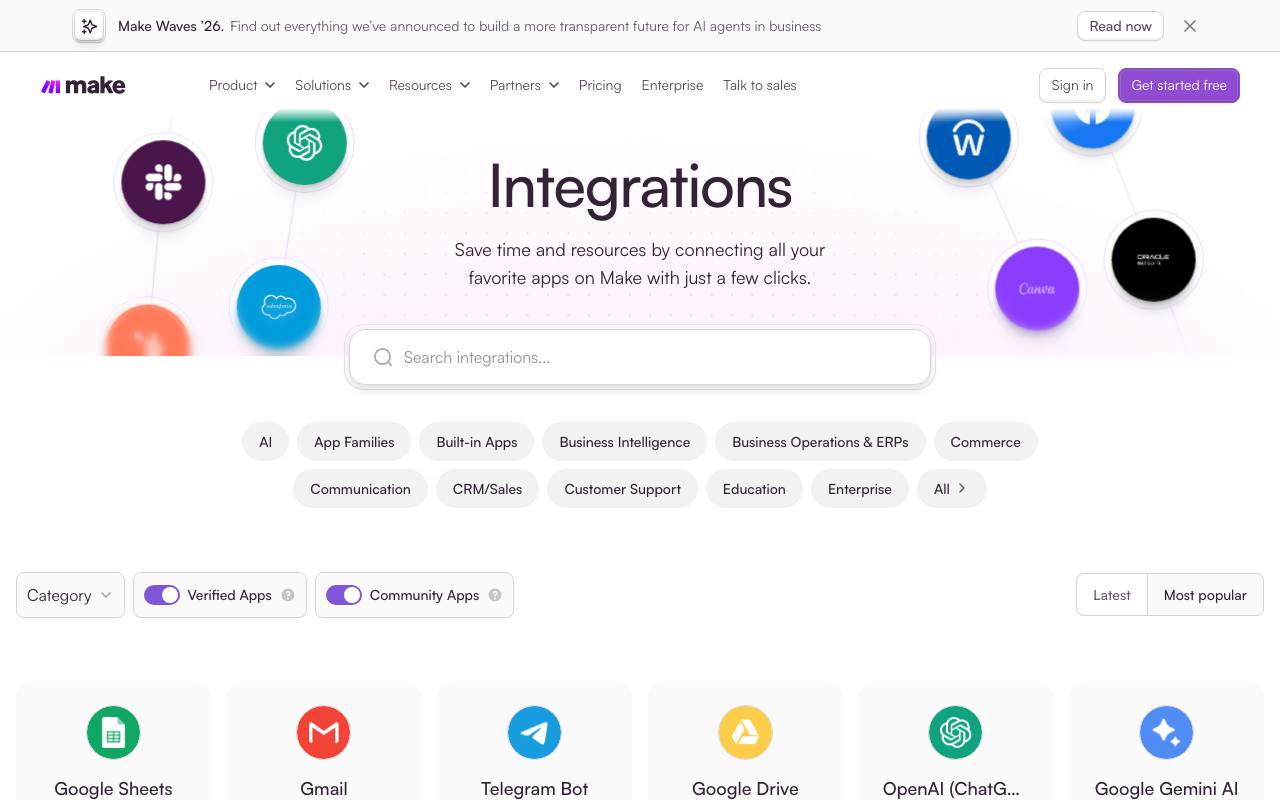
Make is a cloud automation platform. You build scenarios on a drag-and-drop canvas by chaining modules from 3,500+ standard apps, then add routers, filters, error handlers and subscenarios. Every plan includes the no-code builder, custom apps, scenario inputs and outputs, parallel execution and real-time execution monitoring, according to Make's plan comparison table.
Billing changed in 2025. Make's pricing FAQ says credits became the billing unit on August 27, and its help center explains that for non-AI apps 1 operation equals 1 credit, while Make's own AI features bill by tokens as well. Router and error handler modules do not use credits. On November 6, 2025 Make capped Core at 300,000 credits a month, raised Pro to 8 million credits a month, set the surcharge on extra credits at 25% for both manual and automatic purchases, and opened custom AI provider connections to every paid plan.
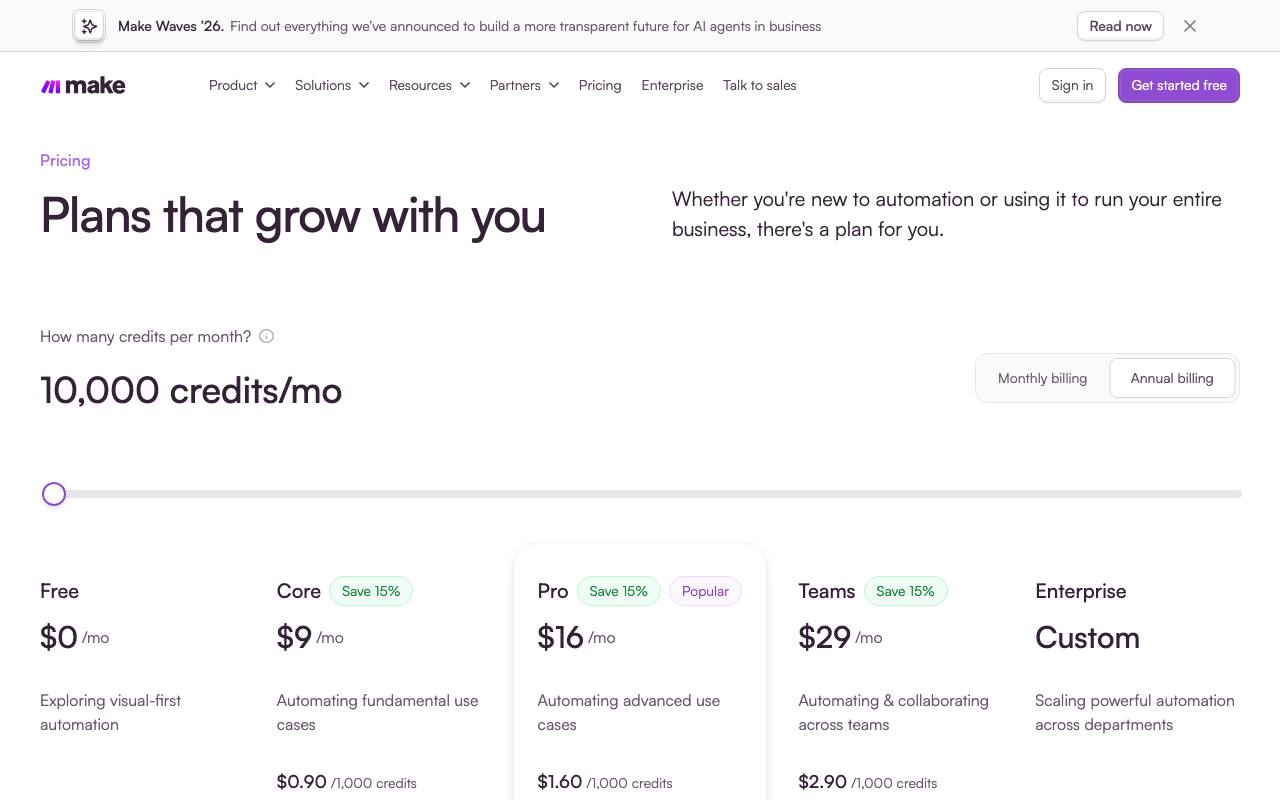
The current line-up for most visitors is Free, Core, Pro, Teams and Enterprise. Make's pricing page states that the lineup and prices come from its pricing service by the visitor's country, and the prices differ: for the United States, the public pricing API lists Core at $16 a month on monthly billing and $144 a year on annual billing for 10,000 credits a month, Pro at $28 a month or $252 a year, and Teams at $51 a month or $456 a year. Visitors from India and Australia see a single Make Plan plus Enterprise instead. Each paid plan has credit tiers that scale the price.
AI features sit inside the same canvas. Make AI Agents, Make AI Toolkit and Make AI Web Search are listed on all plans. The newer Make AI Agent (New) app, released on February 2, 2026, is in open beta, and its tools can be modules, whole scenarios, MCP server tools or other agents. The Reasoning panel shows each step an agent takes. Maia, Make's chat assistant that builds and edits scenarios, is in public beta: paid plans can use it for credits, and Free accounts get a 30-day trial with 45 messages.
Against the rivals on this site, Make sits between Zapier and n8n. Zapier Agents connects to 9,000+ apps, more than Make's 3,500+, but its paid agent plan starts at $400 a year. n8n is free to self-host and bills cloud plans per workflow execution rather than per step, which favors long workflows, but its builder expects more technical comfort. Lindy is a ready-made assistant rather than a builder. Make's advantages are price per step and the visual canvas; its limits are the credit model, a 40-minute cap on a single scenario run on paid plans, and a 5-minute cap and 2 active scenarios on Free.
Some controls are reserved for Enterprise: company single sign-on, audit logs, custom roles, custom JavaScript functions, the on-prem agent and overage protection that keeps scenarios running past the credit limit. Make hosts its infrastructure on AWS in the EU and North America, according to the comparison table.
How it scored
Make ranks third for teams that think in diagrams. Make AI Agents is available on all plans, and the Reasoning panel shows each decision an agent takes, which tools it called and how the workflow behaved, so you can find a bad step without reading logs. Agents can act across 3,500+ pre-built integrations, and a library of ready-made agents gives you a starting point. Billing runs on credits: most actions use 1 credit, while some features that use Make's AI Provider use more, and routers and error handlers are free. The Free plan includes 1,000 credits per month, enough to test a small agent. Two rules deserve attention: scenarios pause when credits run out, and unused credits expire at the end of the term. Make's pricing page did not show plan prices from our location, so the USD price is pending; companies under 20 employees may qualify for 50% off the Business plan.
Who it is for
visual thinkers who want agents inside no-code scenarios
Good fit if
- Solo operators and small businesses who want to connect a store, inbox, spreadsheet and CRM on a visual canvas for about $12 a month
- Marketing and operations teams who need schedules as frequent as every minute and want to watch each run in real time
- Teams adding AI agents to existing automations who want to inspect each decision in the Reasoning panel and use their own OpenAI or Anthropic key on a paid plan
- Builders who want to test before paying: the Free plan includes 1,000 credits a month and 2 active scenarios
- Agencies and departments that need shared templates and team roles, which start on the Teams plan
Skip it if
- Developers who want to self-host or run long workflows cheaply: n8n's Community edition is free on your own server and its cloud plans bill per execution, not per step
- People who need a niche app that only Zapier supports: Zapier lists 9,000+ app integrations against Make's 3,500+
- Users who want an assistant that runs email and meetings out of the box with no building: Lindy is built for that
- Companies that need SSO, audit logs or custom roles on a small budget: Make reserves all three for its Enterprise plan, which has custom pricing
Specifications
From Make's own pages, each linked
- Cheapest paid plan (US)
- Core: $12 a month billed annually ($144 a year) or $16 billed monthly, 10,000 credits a month
- source
- Billing unit
- Credits; 1 operation equals 1 credit for non-AI apps; routers and error handlers use none
- source
- Make API rate limit
- No API on Free; 60, 120, 240 and 1,000 calls a minute on Core, Pro, Teams and Enterprise
- source
Price
Free plan with 1,000 credits per month; see vendor pricing (USD check pending).
US price check pending. See the vendor pricing page.
Plans and prices
Quoted from the seller, with the date we checked
| Plan | Price | What is included | Checked |
|---|---|---|---|
| Free | $0Free, credits reset monthly | 1,000 credits a month; 2 active scenarios; 15-minute minimum interval between runs; 5-minute maximum run time and 5 MB file size; 3,500+ apps, routers and filters; Make AI Agents with Make's AI Provider; 7 days of execution logs; 90-day expert support to get started | Checked Nov 20, 2026 |
| Core | $12 a month billed annually ($144 a year) or $16 billed monthly, for 10,000 credits a month (US prices); higher tiers up to 300,000 credits a monthMonthly or annual; credits allocated monthly on both | Unlimited active scenarios; Schedules down to 1 minute; 40-minute maximum run time and 100 MB file size; Access to the Make API at 60 calls a minute; Make Grid dependency map; Custom AI provider connections; Make Code App at 2 credits per second of execution | Checked Nov 20, 2026 |
| Pro | $21 a month billed annually ($252 a year for 120,000 credits) or $28 billed monthly for 10,000 credits a month (US prices); tiers up to 8 million credits a monthMonthly or annual; annual plans get the full year of credits up front | Everything in Core; High priority scenario execution; Custom variables; Full-text execution log search; 250 MB file size and API at 120 calls a minute | Checked Nov 20, 2026 |
| Teams | $38 a month billed annually ($456 a year for 120,000 credits) or $51 billed monthly for 10,000 credits a month (US prices)Monthly or annual; annual plans get the full year of credits up front | Everything in Pro; Teams and team roles; Create and share scenario templates; 3 event subscriptions; 500 MB file size and API at 240 calls a minute | Checked Nov 20, 2026 |
| Enterprise | Custom pricing (talk to sales)Custom contract | Everything in Teams; Company SSO, domain claim and enforced two-factor authentication; Audit logs, analytics dashboard and custom roles; Custom JavaScript functions and enterprise apps; On-prem agent for local networks; Credits overage protection; 60 days of execution logs and 1,000 MB file size; 24/7 support and access to the Value Engineering team | Checked Nov 20, 2026 |
Key features
Visual scenario builder
Scenarios are drawn as connected modules on a canvas, with routers to branch, filters to stop data that does not match, and subscenarios to chain workflows. Real-time execution monitoring shows each run as it happens on every plan.
Make AI Agents with a Reasoning panel
Agents live inside scenarios and can call modules, whole scenarios, MCP server tools and other agents as tools. The Reasoning panel shows each decision step by step on the canvas. Agents run on Make's AI Provider on all plans, or on your own OpenAI, Anthropic or other key on paid plans, in which case you pay the provider for tokens and Make 1 credit per operation.
Credit-based billing
Most module actions cost 1 credit, routers and error handlers cost nothing, and AI features on Make's AI Provider add credits for tokens. Unused credits expire at the end of the term. Extra credits come in bundles of 1,000 or 10,000 at a 25% premium, and auto-purchase on Core, Pro and Teams adds 10,000 credits when you run out.
Error handling and incomplete executions
Error handler modules catch failures without using credits, and failed runs can be stored as incomplete executions to retry manually or automatically, so the data is not lost. A setting caps how many consecutive errors are allowed before Make deactivates the scenario.
Make MCP server
MCP clients such as Claude and ChatGPT can connect to a Make account and run on-demand scenarios as tools. All plans get the scenario run scopes; management scopes, which let a client edit scenarios, connections and data stores, need a paid plan.
Make Grid
An auto-generated map of how scenarios, apps, data stores and AI components connect, with error indicators and live cursors for teammates. The comparison table lists it on Core and above.
Maia assistant
Maia, in public beta, builds and edits scenarios from chat. Each reply uses credits based on task complexity and tokens; Make's help center shows example replies using about 140 to 160 credits. Free accounts get a 30-day trial with 45 messages.
Strengths and weaknesses
What we like
- Low price per step: Core costs $12 a month billed annually in the US for 10,000 credits, about $0.0012 per module action
- Permanent Free plan with 1,000 credits a month and 2 active scenarios, enough to test a small agent or sync
- Make AI Agents are available on all plans, and paid plans can bring their own AI provider key so token costs go straight to that provider
- The Reasoning panel shows each step an agent took and which tools it called, directly on the scenario canvas
- Paid plans schedule scenarios as often as every 1 minute and allow runs of up to 40 minutes
- Routers and error handler modules use no credits, so branching and error handling do not raise the bill
- Unlimited users on every plan, including Free
- Pro and Teams annual plans hand over the full year of credits up front, which absorbs seasonal peaks
What could be better
- Scenarios stop when credits run out until more are added, unless you enable auto-purchase or have Enterprise overage protection
- Extra credits cost 25% more than plan credits, and unused credits expire at the end of the term
- Per-step billing adds up on long workflows: a 20-module scenario that runs 500 times a month uses about 10,000 credits, the whole entry Core tier
- Free is tight for real use: 15-minute minimum interval, 5-minute run limit, 5 MB files and no Make API access
- SSO, audit logs, custom roles and custom functions are Enterprise only, with no published price
- Prices vary by visitor country: the API lists Core annual at $144 a year for the US and $132 for the UK, Germany and Canada, so the price you see may differ
Key facts
- Free plan: Yes, 1,000 credits per month
- Billing unit: Credits; most actions use 1
- Integrations: 3,500+
- AI agents: Available on all plans
- Startup offer: 50% off Business for eligible companies under 20 employees
Where it ranks
Make is No. 3 in our Best AI Agent Platforms verdict.
Alternatives to consider
Free self-hosted Community edition and cloud plans billed per full workflow execution with unlimited steps; better for technical teams with long workflows.
Connects to 9,000+ apps against Make's 3,500+, with a free plan of 400 activities a month; better if a niche app you need only works with Zapier.
A ready-made assistant for email, meetings and follow-ups from $29.99 per active user a month; better if you do not want to build workflows yourself.
AI-first workflow builder with Pro at $37 a month for 20,000 credits and a 14-day free trial; an option for teams whose flows are mostly AI steps.
Questions readers ask
- Does Make have a free plan?
- Yes. Make's Free plan includes 1,000 credits a month, 2 active scenarios and a 15-minute minimum interval between runs, with no time limit. It also includes Make AI Agents through Make's AI Provider.
- How much does Make cost?
- For US visitors, Core costs $12 a month billed annually ($144 a year) or $16 billed monthly for 10,000 credits a month, Pro costs $21 or $28, and Teams costs $38 or $51, according to Make's public pricing API in November 2026. Enterprise has custom pricing. Make sets prices by the visitor's country, so other regions may see different figures.
- Is Make worth it?
- Make is worth it if your scenarios have a modest number of steps and you value a visual builder, because a module action costs about $0.0012 on annual Core. It is less attractive for long workflows that run often, since every step uses a credit and credits expire at the end of each term.
- Make vs Zapier: which is better?
- Zapier connects to more apps, 9,000+ against Make's 3,500+, while Make's visual canvas, routers and per-step credits usually give more control per dollar. Pick Zapier if you need a niche integration; pick Make if your apps are covered and you want branching logic and lower cost per step.
- Make vs n8n: which should I choose?
- Choose n8n if you want to self-host for free or run long workflows, because n8n bills per full execution while Make bills per module action. Choose Make if you prefer a polished hosted builder and do not want to manage a server.
- What happens when I run out of credits on Make?
- Your scenarios stop running until credits are added. Paid plans can buy extra credits in bundles of 1,000 or 10,000 at a 25% premium, or turn on auto-purchase of 10,000 credits on Core, Pro and Teams; Enterprise has overage protection.
- Do Make AI agents cost extra?
- No separate subscription is needed: Make AI Agents are on all plans and draw from your credits. On Make's AI Provider an agent run costs 1 credit per operation plus credits for AI tokens; with your own provider key on a paid plan, it costs 1 credit per operation and you pay the provider for tokens.
- Do Make credits roll over?
- No. Make's pricing FAQ says credits expire at the end of the term. Monthly plans reset each month; Pro and Teams annual plans receive the year's credits up front and they expire after 12 months, while Core annual still allocates credits monthly.
Sources we checked
- Make: Pricing and subscription packages (plan comparison table and FAQ), checked November 20, 2026
- Make public pricing API, US plan prices, checked November 20, 2026
- Make: AI Agents product page, checked November 20, 2026
- Make Help Center: Credits, checked November 20, 2026
- Make Help Center: Extra credits, checked November 20, 2026
- Make Help Center: Monthly and annual subscriptions, checked November 20, 2026
- Make Help Center: Adjustments to plans and pricing (November 6, 2025), checked November 20, 2026
- Make Help Center: Cancel your subscription, checked November 20, 2026
- Make Help Center: Introduction to Make AI Agent (New), checked November 20, 2026
- Make Help Center: Credit usage for AI agents, checked November 20, 2026
- Make Help Center: Maia by Make pricing, checked November 20, 2026
- Make Help Center: Make MCP server, checked November 20, 2026
- Make Help Center: Introduction to Make Grid, checked November 20, 2026
- Make Help Center: Scenario settings, checked November 20, 2026
Deep review last updated November 20, 2026. We recheck prices and specs against these pages; send corrections to the address below.
Alternatives we scored
- Zapier Agents8.8
- n8n8.6
- Lindy8.3
- MindStudio8.2
Visit make.com · Questions or corrections: editorial@fruitpunch.ai